See your electric & gas usage as it happens.
Plug in an RTL-SDR USB dongle and Utilify starts reading your utility meters over the air in seconds. No utility company account. No cloud. Your data stays on your device.
🇺🇸🇨🇦 Works best in US & Canada — your meter must use the ERT, SCM, or IDM protocol.
RTL-SDR USB Dongle
- Any RTL2832U-based USB software-defined radio (SDR) dongle
- Most dongles with the R820T or R820T2 tuner work out of the box
- Popular starter kit: RTL-SDR Blog V4 ↗ (~$30 USD)
- Works with cheap generic RTL2832U sticks from Amazon or AliExpress
Meter compatibility: Reads SCM and R900 protocol packets broadcast by most North American electric and gas smart meters (ERT/AMI) on 912 MHz. Check your meter for the ERT icon or ask your utility if you're unsure. Learn more at rtl-sdr.com ↗.
Connection: Android phone or Chromebook via USB OTG cable — or plug into a Linux / Windows PC running the headless server (see below).
Plug in the dongle
Connect an RTL-SDR USB stick to your Android phone (via OTG adapter), Chromebook, Linux PC, or Windows PC.
Start listening
Utilify tunes to 912 MHz and decodes SCM/R900 packets broadcast by your electric and gas meters every 30 seconds.
Watch the numbers
Readings roll in live. Charts fill up over days and weeks — all stored locally in an on-device SQLite database.
Use Utilify however fits your home. The dongle can live on a phone, a dedicated PC, or a spare computer in a closet — your other devices connect as viewers.
📱 Android phone or Chromebook
The simplest setup. Plug the dongle straight in and start reading.
Listen + view on the same device
Share live data to a TV or second phone over LAN
🖥️ Linux or Windows PC (headless server)
Run the server on a dedicated machine near a window. Any phone, tablet, or browser on the same network can view live data.
↓ serves JSON API on port 8765
Utilify mobile app (Viewer mode) connects over LAN
Enter
http://<pc-ip>:8765 in the Viewer tab
🌐 Remote access from anywhere
Host on a phone or PC at home. View live readings from work, a coffee shop, anywhere.
Viewer scans QR or enters tunnel address
Fully end-to-end encrypted frp tunnel
Data never stored on our servers
🍎 Mac desktop app
A macOS build is in progress for Apple Silicon and Intel Macs, planned to work as both host and viewer, or as a viewer for any running host on your network.
A self-contained binary that reads your RTL-SDR dongle and serves the same JSON API the mobile app uses. No GUI required — run it in a terminal or as a system service. Connect from the Utilify mobile app (Viewer mode) or from any browser.
🐧 Linux x64
Compiled native binary for 64-bit Linux. Tested on Ubuntu 22.04+, Debian 12+, Raspberry Pi OS (64-bit).
Download (.tar.gz)sudo apt install libusb-1.0-0 libsqlite3-0- Unload DVB kernel driver if loaded:
sudo rmmod dvb_usb_rtl28xxu rtl2832
🪟 Windows x64
Native binary for 64-bit Windows 10/11. Requires the WinUSB driver for your RTL-SDR dongle (install once via Zadig).
Download (.zip)- Download Zadig ↗
- Select your RTL-SDR dongle → install WinUSB
Quick start
Linux
tar xzf utilify-server-linux-x64.tar.gz
cd utilify-server

# Add udev rule so you don't need sudo (once):
echo 'SUBSYSTEM=="usb", ATTR{idVendor}=="0bda", MODE="0666"' \
  | sudo tee /etc/udev/rules.d/99-rtlsdr.rules
sudo udevadm control --reload && sudo udevadm trigger

./utilify_server
# → API running on http://0.0.0.0:8765
Windows
REM Unzip utilify-server-windows-x64.zip, then:
utilify_server.exe
REM → API running on http://0.0.0.0:8765
Connect Utilify mobile app
- Open Utilify on your phone → tap Share Data
- Switch to the Viewer tab
- Enter your PC's local IP address:
http://192.168.1.x:8765 - Tap Connect — live readings appear within seconds
Not sure what your PC's IP is? On Linux: ip addr show — on Windows: ipconfig
Pro Remote tunnel — access from anywhere
If you have a Utilify Pro purchase on iOS or Android, you can enable the remote tunnel directly on the headless server — no port-forwarding or local network required.
- Open the Utilify app on your phone → tap Remote Access
- Scroll to the Headless Server section — tap Copy to copy your License ID
- Pass it to the server with
--pro-user-id:
Linux
./utilify_server --pro-user-id YOUR_LICENSE_ID
Windows
utilify_server.exe --pro-user-id YOUR_LICENSE_ID
The server verifies your license and prints a tunnel URL. Open it in any browser, or scan the QR code in the Utilify app under Viewer mode.
Your License ID is tied to your App Store or Google Play purchase. It is verified securely — no password or account needed.
A macOS build is in progress. It is planned to read your meters directly from an RTL-SDR dongle or connect as a viewer to any Utilify host on your network, working as both host and viewer with no phone required.
It will be distributed as a notarized DMG — not through the Mac App Store (IOKit USB access is required for the SDR dongle, which the App Store sandbox disallows).
🍎 macOS (Apple Silicon & Intel)
Planned as a notarized app for macOS 12 Monterey and later.
- RTL-SDR USB dongle (RTL2832U chipset)
- macOS will prompt to allow USB access on first launch
- No additional drivers needed on macOS 12+
Getting started on Mac
- Open the DMG and drag Utilify.app to Applications
- Launch Utilify — macOS may show a Gatekeeper prompt; click Open
- Plug in your RTL-SDR dongle and allow USB access when prompted
- Tap Start — readings appear within 30 seconds
- To view from a phone or another Mac, open Share Data → Viewer and enter
http://<mac-ip>:8765
Find your Mac's IP: Apple menu → System Settings → Network, or run ipconfig getifaddr en0 in Terminal.
Live meter readings
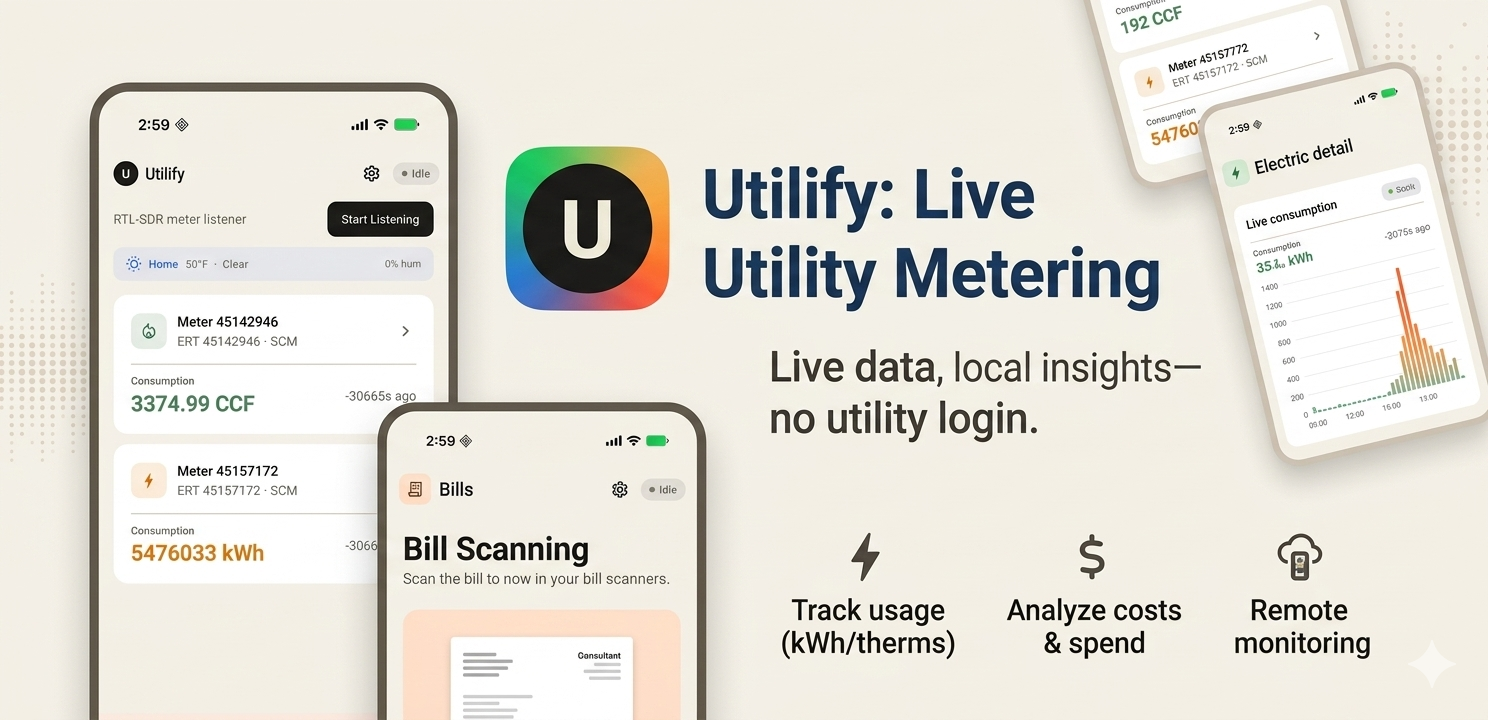
SCM and R900 protocol decoding for electric and gas meters. Readings update every 30–60 seconds, no polling required.
Daily usage charts
7-day, 30-day, 90-day, and 1-year history. Usage bars overlay temperature lines so you can see weather-driven spikes at a glance.
Weather correlation
Historical temperatures are fetched automatically and plotted alongside your daily consumption.
Bill scanning
Photograph a utility bill and the app extracts your rate via on-device OCR. No manual data entry.
Multi-device viewer
Run the listener on a phone or PC, then view live readings from any other Utilify device on the same network — or from anywhere with a Pro tunnel.
Fully local, no account
All data lives in a SQLite file on your device. No server, no sign-in, no subscription for core features.
Open JSON API
The host device serves a documented HTTP API on port 8765. Build your own dashboards, automations, or integrations with standard HTTP requests.
Smart host identity
Each host device has a stable ID embedded in the API. Viewer apps automatically detect when a different device is at a saved address and prompt you to reconnect.
Works alongside Home Assistant
Already running rtl_433 or HA? Utilify decodes the same packets in a single phone/tablet/TV app — no MQTT broker, no YAML, no Pi to maintain. Pair viewer and listener with one QR scan.
Core meter reading, history, and charts are free forever. The headless server binary is also free. Pro adds a secure remote-access tunnel for viewing from outside your home network.
What is Utilify?
Utilify is a smart meter reader app for iPhone and Android that shows your electricity, gas, and water usage in real time. Plug an RTL-SDR USB dongle into an Android phone, Chromebook, or PC and Utilify decodes the readings your own utility meters already broadcast over the air, with no utility company account and no cloud.
Readings arrive every 30 to 60 seconds and are written to a SQLite database on your device. Charts cover 7 days, 30 days, 90 days, and a year, and overlay historical temperature so weather-driven spikes are obvious. A free headless server build for 64-bit Linux and Windows lets a spare PC do the listening while your phone, tablet, or browser views the data.
Frequently asked questions
What does Utilify do?
Utilify listens for the unencrypted readings your own utility meters broadcast over the air and turns them into live numbers and usage charts. Because it reads the meter's own radio signal instead of a utility company website, readings appear within seconds of each broadcast rather than a day or a month later.
What hardware do I need to read my smart meter?
Any RTL2832U-based RTL-SDR USB dongle. Most sticks with an R820T or R820T2 tuner work out of the box, and a popular starter kit is the RTL-SDR Blog V4 at around $30 USD. To use one with an Android phone or Chromebook you also need a USB OTG adapter.
Which meters does Utilify work with?
Utilify reads SCM and R900 protocol packets broadcast by most North American electric and gas smart meters (ERT/AMI) on 912 MHz. It works best in the US and Canada. Check your meter for the ERT icon or ask your utility if you are unsure.
Is Utilify available for iPhone and Android?
Yes. Utilify is on the App Store and on Google Play. A free headless server build for 64-bit Linux and Windows is also available on this page, and it serves the same data to the mobile app in Viewer mode.
How much does Utilify cost?
Live meter reading, 30 days of history, weather charts, bill scanning, LAN viewer access, and the headless server are free. Pro Annual is $19.99 / year and Pro Lifetime is $49.99 one-time; both add unlimited history and the secure frp tunnel so a viewer can connect from any network, anywhere.
Does Utilify send my meter data to the cloud?
No. Meter readings are stored in a local SQLite database on your device, and there is no backend server receiving them. Utilify has no sign-in and no user accounts, and viewer devices connect directly to the host over your local network or through the Pro tunnel, which Adelyons does not relay or log.
Is it legal to receive my own meter's broadcasts?
Utilify only receives radio signals; it never transmits. Passively receiving unencrypted meter broadcasts that are intentionally broadcast over the public radio spectrum is generally lawful in the United States, but you should verify this for your location. Utilify is licensed for monitoring meters you own or have explicit authorization to monitor.
How do I delete my meter data?
All readings are stored only on your device and there is no Adelyons account to delete. Uninstalling the app permanently deletes the SQLite database, and you can delete individual readings or properties from within the app at any time.
Guides
- How to read your own smart meter with an RTL-SDRStep-by-step: dongle, antenna placement, first readings.
- Smart meter frequencies and protocolsWhat ERT, SCM, SCM+, IDM, and R900 are, and where they sit in the 900 MHz band.
- What is an RTL-SDR dongle?How a $30 TV tuner became a general-purpose radio receiver, and which one to buy.
- No cloud storage. Meter readings are stored in a local SQLite database on your phone or PC. There is no backend server receiving your data.
- No account required. Utilify has no sign-in, no email, and no user accounts.
- Local SDR processing. The RTL-SDR dongle and all signal decoding run entirely on your device. No third-party radio relay.
- Peer-to-peer sharing. The viewer connects directly to the host device over your local network (or the Pro frp tunnel). Readings are not routed through Adelyons servers.
- No third-party data sharing. We do not sell, share, or transmit your meter data to utility companies, advertisers, or anyone else.
Full details: Privacy Policy